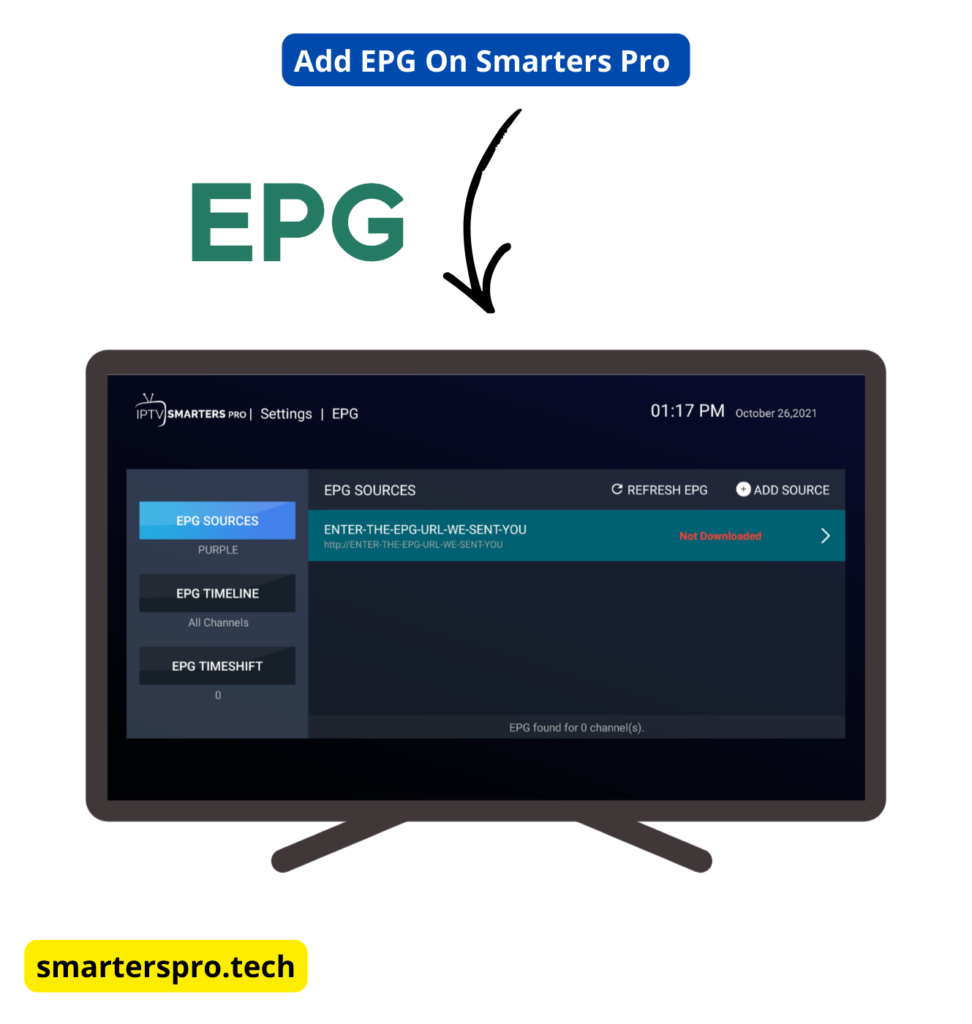
Setting up EPG in IPTV Smarters Pro allows you to view TV schedules, program details, and upcoming shows directly inside the app. EPG (Electronic Program Guide) improves the IPTV experience by showing what’s currently playing and what’s coming next on each channel.
This guide explains how to set up EPG in IPTV Smarters Pro, what you need before starting, and how to fix common EPG issues.
Important: IPTV Smarters Pro is a media player only. It does not provide channels, playlists, or EPG data.
EPG (Electronic Program Guide) is a schedule system provided by your IPTV service. When configured correctly, IPTV Smarters Pro displays channel programs, show names, and broadcast times for live TV.
What You Need Before Setting Up EPG
Before setting up EPG, make sure the following requirements are met:
- You are already logged in to IPTV Smarters Pro
- Your IPTV service supports EPG
- You have an EPG URL (if required by your provider)
- You have a stable internet connection
Note: If you use
Xtream Codes API
,
EPG often loads automatically without manual configuration.
Method 1: Set Up EPG Using Xtream Codes API (Recommended)
If you logged in using
Xtream Codes API
,
EPG is usually added automatically.
Steps
- Open IPTV Smarters Pro
- Go to Settings
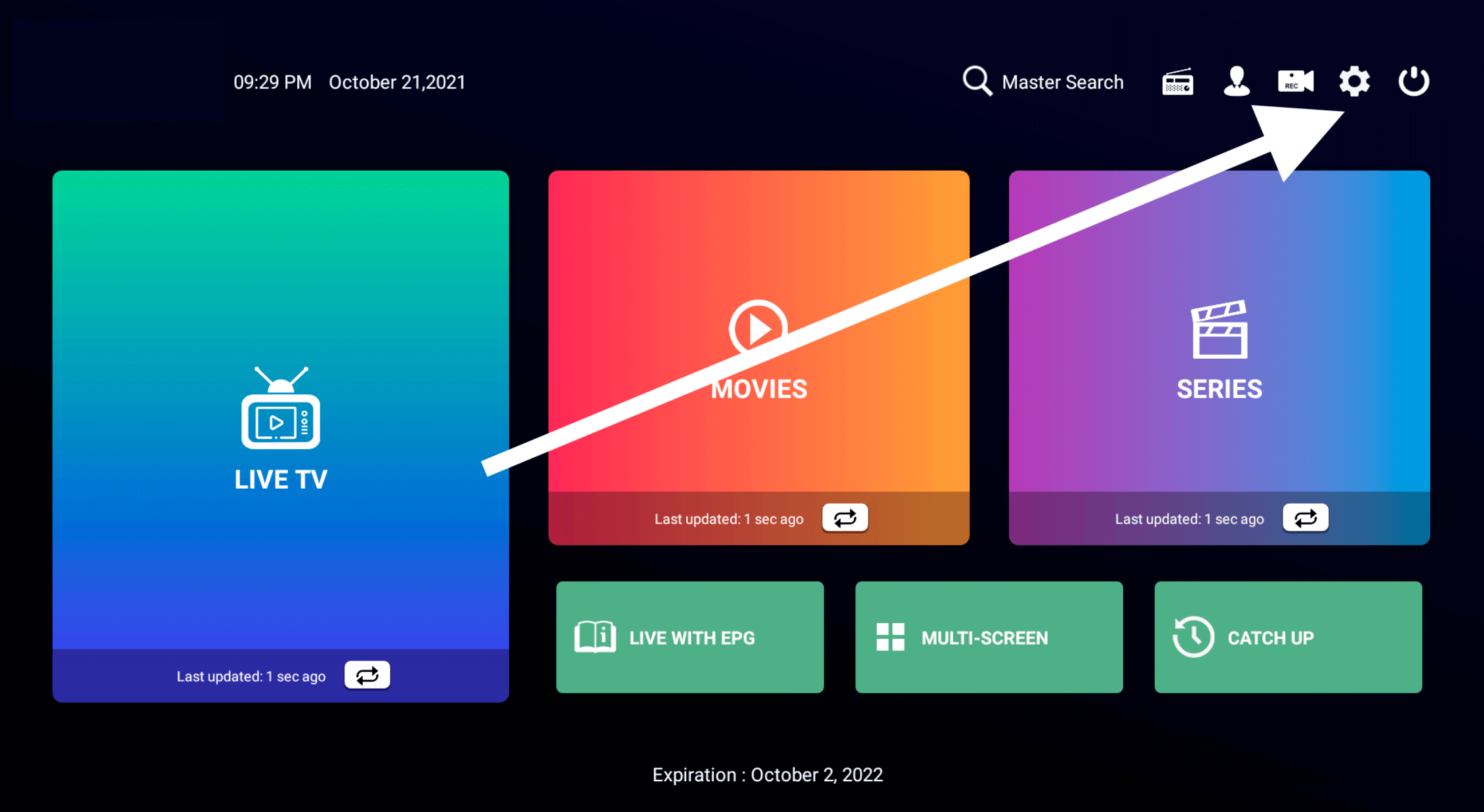
- Select EPG
- Click Refresh EPG
- Wait for the data to load
Once completed, program schedules should appear on Live TV channels.
Frequently Asked Questions – EPG in IPTV Smarters Pro
What is EPG in IPTV Smarters Pro?
EPG (Electronic Program Guide) shows TV schedules, program names, and broadcast times for live channels inside IPTV Smarters Pro.
Does IPTV Smarters Pro provide EPG data?
No. IPTV Smarters Pro does not provide EPG data. EPG information is supplied by your IPTV service provider.
Why is EPG not showing in IPTV Smarters Pro?
EPG may not appear due to provider limitations, an incorrect EPG URL, internet connection issues, or because the IPTV service does not support EPG.
Do I need an EPG URL to use EPG in IPTV Smarters Pro?
Not always. When using Xtream Codes API, EPG often loads automatically. An EPG URL is only needed if your provider requires manual setup.
How long does it take for EPG to load?
EPG loading usually takes a few seconds to a few minutes, depending on your internet speed and the size of the EPG data.
Why is my EPG showing the wrong time?
This issue is usually caused by incorrect time zone or offset settings. Adjust the time offset in EPG settings to fix it.
Is EPG free in IPTV Smarters Pro?
Yes. EPG support is included for free in IPTV Smarters Pro. However, availability depends on your IPTV provider.
Can I refresh EPG manually?
Yes. You can refresh EPG anytime by going to Settings → EPG → Refresh EPG.
Does EPG work with M3U playlists?
Yes, but EPG with M3U playlists may require manual EPG URL configuration and may not be as accurate as Xtream Codes API.
Is using EPG in IPTV Smarters Pro safe?
Yes. IPTV Smarters Pro only displays EPG data provided by your IPTV service. Users are responsible for ensuring their IPTV service complies with local laws.
Final Thoughts
Learning how to setup EPG in IPTV Smarters Pro improves your IPTV experience by making channel navigation easier and more informative. If your IPTV provider supports EPG, setup takes only a few minutes and works automatically in most cases.